Why share home readings with your doctor?
A single reading at a clinic captures one moment. Home monitoring with QardioArm builds a record over days and weeks, which helps your doctor see patterns linked to medication, sleep, stress, or daily routine. Many physicians ask patients to track blood pressure between visits, especially when starting or adjusting treatment.
What should I bring to my appointment?
Before your visit, open the Qardio App and review your recent readings. Note the dates and times of any unusually high or low results. If you take medication, write down your current dose and whether you missed any doses that week. Bring your phone or export a summary if your clinic prefers a printed report. For tips on how often to measure, see how often you should check your blood pressure.
How does the Qardio App make sharing easier?
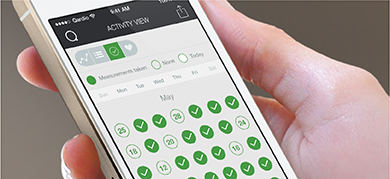
Each QardioArm reading saves automatically with a timestamp in the app. You can add notes about how you felt, flag a reading for follow-up, and view trends on a simple chart. When you are ready, share selected data with family members or email a report to your care team. Accurate readings start with proper technique, so review our guide on taking your blood pressure measurement before your next session.
Can my clinic access readings directly?
Some practices use remote monitoring tools to review patient data between visits. QardioMD is designed for clinical teams that want structured blood pressure trends from connected devices. Ask your doctor whether they participate in a remote monitoring program and what format they prefer for home readings.
Where can I learn more?
Visit our Heart Health hub for articles on blood pressure basics, or return to the Qardio homepage to explore QardioArm, QardioBase, and QardioCore.